Crypto Portfolio Tracker: How to Choose an App

A crypto portfolio tracker puts your balances on one screen, even when the coins sit in different wallets and exchange accounts. It does not hold the coins, and it is not a wallet. It only reads balances that already exist somewhere else and adds them up, so it answers one question: how much you hold right now, and where it sits. Your coins stay in your own wallet or account the whole time.
You are choosing a crypto portfolio tracker app that fits your own coins, not looking for one winner. The right app is the one that can read every place you use, such as a Binance account, a MetaMask wallet and a Ledger, with read-only access. The checks come down to three things: where your coins sit, what access the app asks for and what its free plan covers. None of these three checks needs a seed phrase from you.
StealthEX is a non-custodial exchange for wallet-to-wallet swaps, not a portfolio tracker. Unlike the crypto apps for beginners that buy or store coins, a tracker only reads them. And one name from older “best tracker” lists, Zapper, shut down its site, apps and API on August 3, 2026.
Article contents
What a Tracker Actually Does
A tracker reads what you already hold and shows a total value. It pulls public wallet balances from blockchains and account balances from exchanges, then prices them in dollars or another currency. The coins never move into the app. If the tracker goes offline, your coins stay exactly where they were, and you can still open the wallet or exchange that holds them.
It Reads Balances. It Does Not Hold Them
A wallet holds the keys that can move coins. An exchange account holds a balance on a company’s books. A tracker only displays those balances. It can show 0.5 BTC in a hardware wallet and 2 ETH on an exchange, but it cannot send either one.
A crypto wallet portfolio tracker should only need your public wallet address. Anyone can look up an address on a block explorer, so the tracker learns nothing that lets it spend. Connecting an exchange usually means a read-only API key. A seed phrase never belongs in a tracker, because anyone who has it can empty the wallet.
A fake app can try to steal a seed phrase with a sign-in or recovery form. Keep the wallet itself protected with these wallet security steps.
| Question | Wallet | Portfolio Tracker | StealthEX Swap |
|---|---|---|---|
| What it holds | The keys | Nothing, it shows balances | Nothing after the swap is finished |
| What you open | The wallet app or device | An app or a website | The swap widget |
| What you share | Nothing, if you only look | An address or a read-only exchange key | The recipient wallet address |
How to Choose an App
The best crypto portfolio tracker for you is the one that can see the places you already use. List them first: for example, a Binance account, a MetaMask wallet on Ethereum and Base, and a Ledger with Bitcoin. Then check each app’s own integration list. A tracker that cannot read one of them will show a wrong total.
Many lists of the best portfolio tracker for crypto come from tracker companies, which put their own app first. Koinly’s tracker page calls Koinly “the Best Free Crypto Portfolio Tracker,” and CoinStats calls its app “The Ultimate Crypto Portfolio Tracker.”
Look at four things. Can it connect your exchanges and wallets? Does it read every network you use, including DeFi positions? Does the free plan cover your number of accounts and transactions? Does it show profit and loss, or only today’s value?
Profit and loss is where trackers differ most. Today’s value only needs balances and prices. Profit and loss also needs your purchase prices, so the app must import your full trade history. A transfer between your own wallets should not count as a sale.
Match the App to Where the Coins Sit
How do I set up a crypto portfolio tracker? Start with three checks, one for each place your coins can sit, and write down every exchange, wallet and network you use.
Coins on an exchange account need a connection that the exchange allows, usually a read-only API key or an official sign-in. Coins in your own wallet need only the public address for each network. Coins in a DeFi position, such as a lending deposit on Aave, need an app that can read that protocol on that network.
One app does not have to do all three. You might use an exchange-friendly tracker for your accounts and an onchain dashboard for your wallets. Add the exchanges first, then paste each wallet address, then compare the total with your own balances. If a number is missing, the app is not reading that place. An exchange sync can also run on a schedule, so a trade made a minute ago may not show yet.
Stocks and Crypto on One Screen
Some people want stocks and crypto in the same view. A crypto and stock portfolio tracker is a feature of a few apps, and Delta is one of them. If you want both, check that the app lists both and supports your own broker, not just stocks in general. A tracker built only for onchain wallets will not show a brokerage account at all, so a stock holding would be missing from the total.
If you only hold crypto, this feature does not matter, and a crypto-only app is simpler. If you hold both, one screen saves you from adding two totals by hand, as long as every one of your accounts is connected.
Apps People Already Search
The best crypto portfolio tracker apps of 2026 below are a map of names, not a ranking. Each does a different job, so open the company’s own site on the day you choose.
| Name | Confirm on Its Site | Do Not Rely On |
|---|---|---|
| CoinStats | Still a tracker; what a connection allows | An old rating or download count |
| Delta | Current name; shows your accounts | A copied price |
| DeBank | Reads your wallet | A chain-by-chain list |
| Zerion | Reads your wallet | A “best wallet” claim |
| Koinly | Its tax page | A promised tax outcome |
| CoinTracker | Its tax page; not CoinTracking | Merging the two names |
| A spreadsheet | You will update the rows | Self-updating prices |
CoinStats
The CoinStats crypto portfolio tracker app is built for “crypto, DeFi, and NFTs,” as its site puts it. You add wallets by address and exchanges by API key, and its site says the app asks for read-only access only. As a CoinStats crypto portfolio tracker user, you can see wallets and exchange accounts together in one portfolio.
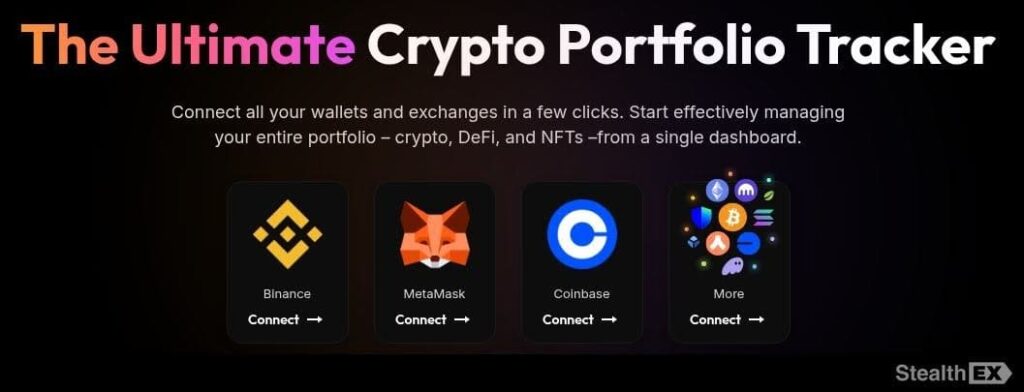
CoinStats connection options. Source: CoinStats
The free Basic plan on the pricing page covers 10 portfolios, 20,000 transactions and 10 syncs per portfolio a day. Analytics, notifications and the wallet analyser are paid features. CoinStats also offers swaps and price predictions, which are separate from tracking and not needed just to see a balance.
Delta
The Delta crypto portfolio tracker app is now called Delta by eToro. It describes itself as an investment tracker, not a brokerage or an exchange. It syncs stock brokers, crypto exchanges and wallets, and it says it does not have access to your funds. Its FAQ says connecting an unlimited number of accounts needs Delta PRO.
The home page shows stock tickers such as TSLA and SPY next to BTC. Before you rely on this Delta investment tracker app for a crypto portfolio, check that it shows the exact broker and exchange accounts you already have. A missing one can be added by hand, but then you update it yourself.
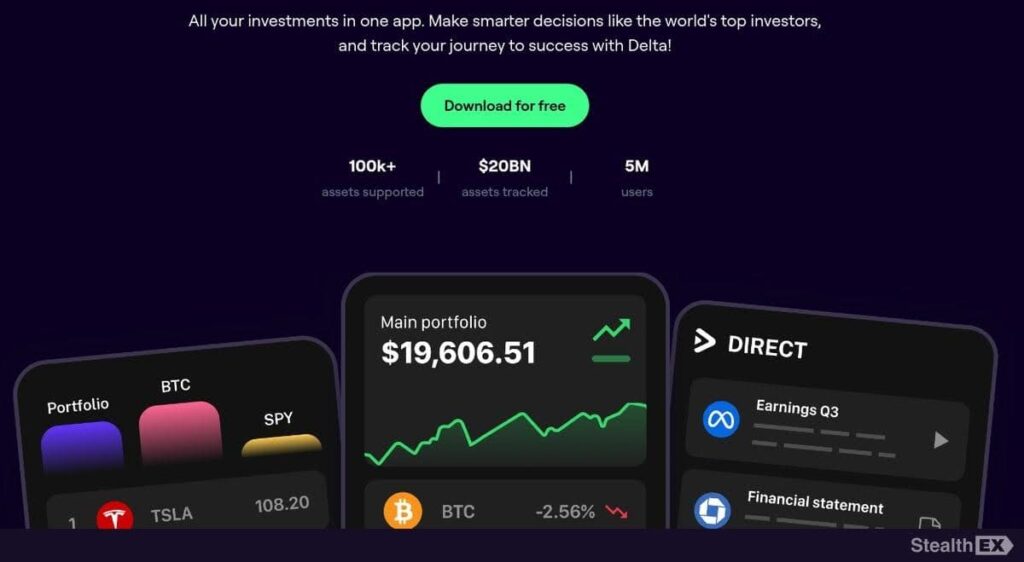
Delta app with stocks and crypto. Source: Delta
DeBank, Zapper, and Zerion
DeBank is a DeBank crypto portfolio tracker for Ethereum and other EVM networks. You search a wallet address or connect a wallet, and it shows tokens and DeFi positions. The coins stay in your wallet. It does not read Bitcoin addresses.
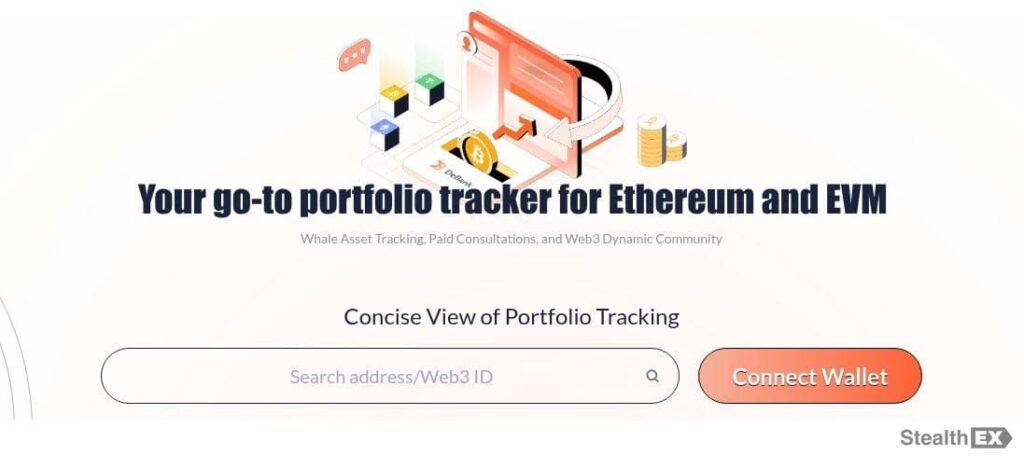
DeBank address search. Source: DeBank
The Zapper crypto portfolio tracker was a well-known DeFi dashboard, but its site, apps and API shut down on August 3, 2026. It no longer reads any wallet.
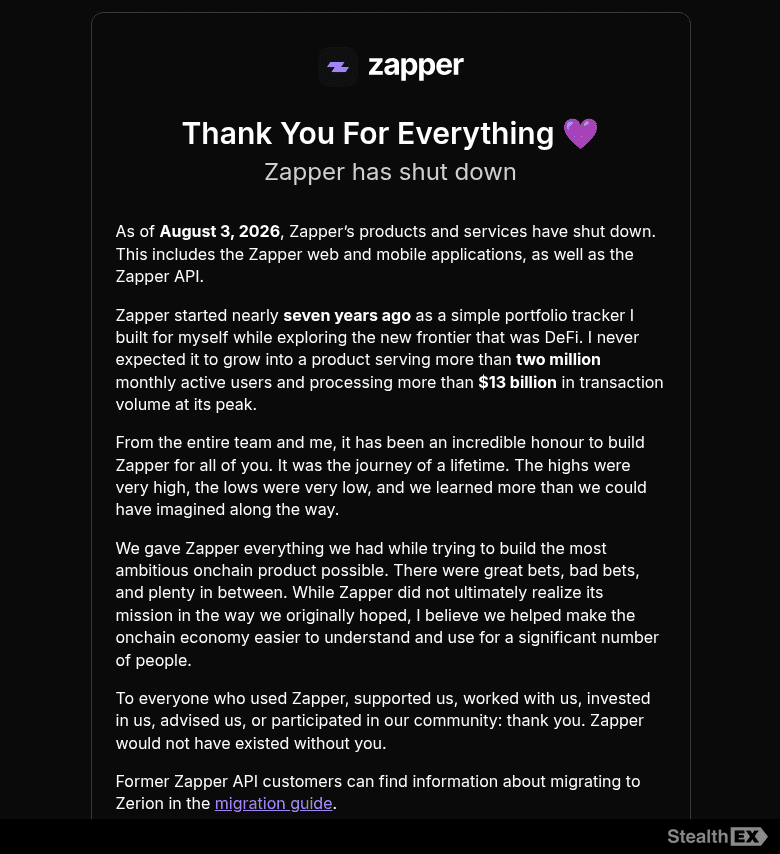
Zapper closing notice. Source: Zapper
The Zerion crypto portfolio tracker is part of Zerion, a self-custody wallet. You open the wallet and see your tokens and DeFi positions. You hold the keys, so the coins stay in your wallet. Because Zerion can also sign transactions, treat it like any other wallet.
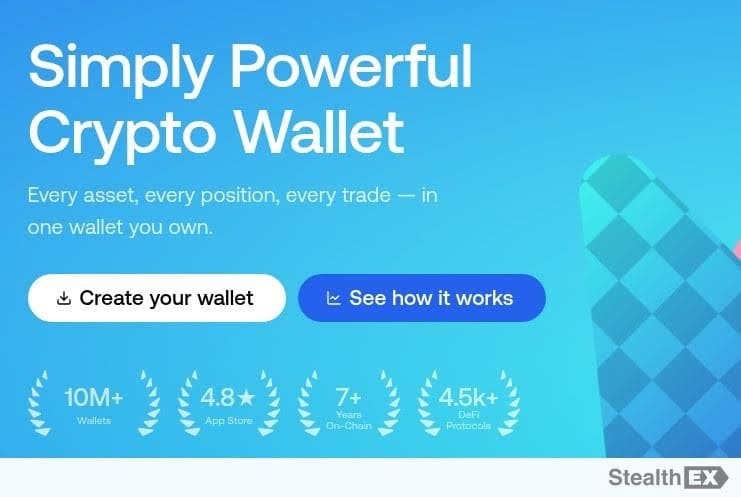
Zerion wallet portfolio. Source: Zerion
Tax Apps Are a Separate Job
The Koinly crypto tax calculator and portfolio tracker and the CoinTracker crypto portfolio tracker both show a portfolio, but people mainly use them when they need a tax report. Koinly’s free plan imports up to 10,000 transactions with a tax preview but no report download. CoinTracker’s free plan shows the portfolio value and a tax summary, without tax forms.
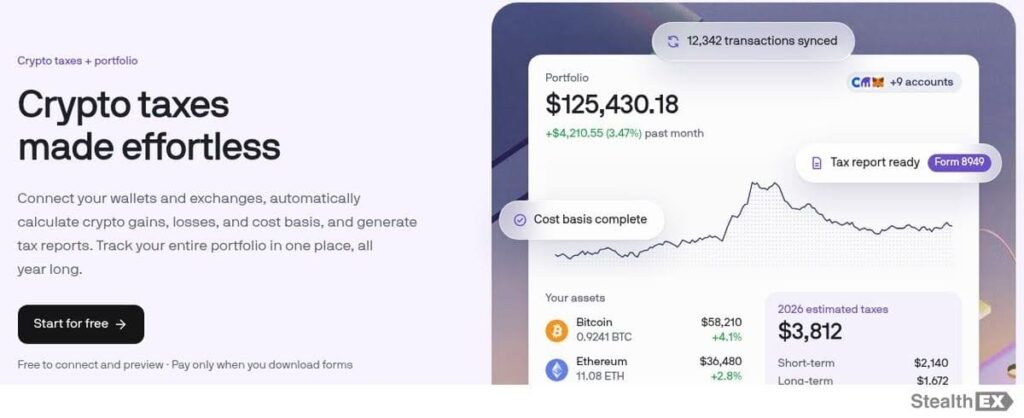
CoinTracker tax and portfolio app. Source: CoinTracker
CoinTracker and CoinTracking are separate products from different companies. Neither app can promise what you will owe. Read that product’s own tax page for the countries and reports it covers.
Free Trackers and Spreadsheets
A free crypto portfolio tracker can be enough when your holdings are simple, for example three coins on one exchange and one wallet. Free does not mean no limits forever. CoinStats Basic caps portfolios and transactions, Koinly’s free plan does not let you download a tax report, and rotki’s free version processes 1,000 events.
The best free crypto portfolio tracker for you is the one whose free limits cover your accounts today. Before you connect anything, read what the app keeps and what it asks to connect. An app that stores your full transaction history on its servers knows a lot about your money, even if it costs nothing. Check whether you can delete that data and remove a connection later.
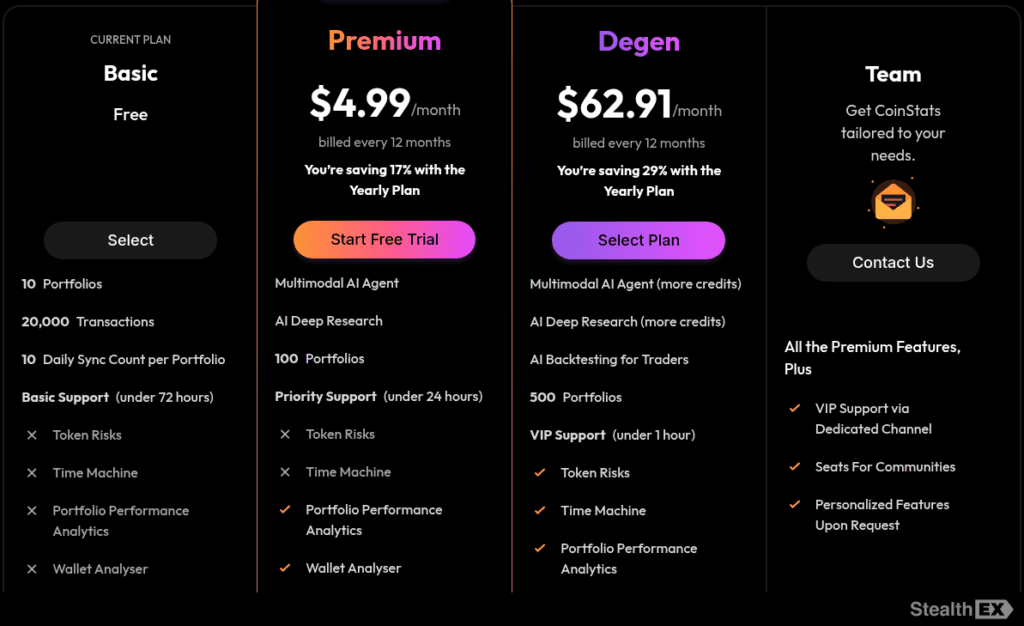
CoinStats plans. Source: CoinStats
A Spreadsheet Stays Manual
A crypto portfolio tracker in Excel or a crypto portfolio tracker in Google Sheets is a spreadsheet you fill in yourself. You list each coin, the amount and where it sits. The prices do not update by themselves unless you add a price feed, and every new trade or transfer has to be typed in.
A sheet is enough when you hold a short list of coins, trade rarely and are willing to update the rows. It also never asks for an exchange key or a wallet connection. Once you hold coins on several networks and exchanges, an app that reads them for you saves time and the typing mistakes a sheet invites.
Before You Connect Anything
Give a tracker the least access that still shows the balance. For an exchange, create a read-only or view-only API key with no trading or withdrawal permission. For a wallet, paste the address. No tracker needs your seed phrase, and an app that asks for one is a scam.
Some trackers keep your data on your own device. rotki is an open source crypto portfolio tracker that stores your history in an encrypted database on your computer. That is a privacy choice, not a promise that nothing can go wrong: a lost device can still lose or expose that history.
| Check | What to Confirm | Do Not Assume |
|---|---|---|
| Access | The connection is read-only or view-only | That a tracker needs withdrawal permission |
| Seed phrase | The app never asks for it | That an address and a seed phrase are the same request |
| Coins | The app sees the exchange, wallet or DeFi position you use | That one app sees every network |
| Price | Any fee is on that app’s own pricing page | A price, rating or user count from a review |
| Name | The product still exists on its own site | That an old or renamed app is still current |
An API Is a Builder Tool
You do not need an API to choose a tracker. A crypto portfolio tracker API is a tool for a developer who wants to build a tracker or add balances to another app. It returns prices, wallet balances or exchange data as code, not as a ready portfolio screen. Building with one means handling keys, limits and updates yourself, which a ready tracker app already does for you on its own.
If you are building one, start with the CoinMarketCap and CoinStats API comparison, the crypto API guide and the wallet data API guide.
A Swap Is Not a Tracker
StealthEX swaps crypto from one wallet to another. That is a different job from tracking, and the two can work together. It does not show an ongoing portfolio and does not keep your coins after the swap. A standard crypto-to-crypto swap does not require registration, although verification may be requested if a wallet or transaction is flagged.
You choose a pair, enter the amount and pick a fixed rate or a floating rate. A fixed rate locks the quote for the order. A floating rate follows the market while the swap is processed, so the final amount can differ from the first estimate. The estimate includes the network fee and the liquidity provider fee, and you still pay the source network’s own fee to send the deposit.
You enter the recipient wallet address, send the deposit and receive the new coins in that wallet. The swap steps show each screen. StealthEX does not hold the coins once the swap is complete. If you use a tracker, add that recipient wallet’s address to it. The tracker then reads the new coins on its next sync, with no access to the swap itself or to your keys.
Frequently Asked Questions
Is a Portfolio Tracker the Same Thing as a Wallet?
No. The wallet holds the keys that can move the coins, and the tracker only shows balances. Losing your tracker login is a nuisance, because you can sign in again or add the addresses to another app. Losing your seed phrase can mean losing the coins in that wallet for good.
Does StealthEX Store the Portfolio After a Swap?
No. A completed swap ends in the recipient wallet you entered. StealthEX does not keep the coins and does not keep a portfolio record or an account balance for you to manage. To see the new balance later, open that wallet or add its address to any tracker you already use.
Does Connecting a Wallet Give the Tracker Your Private Keys?
It should not. Read-only access is the rule. You share a public address so the app can read a balance that anyone can already see on the blockchain. A seed phrase or private key does not belong in a tracker. If an app asks for one, stop, close it and do not type the words anywhere, even on a page that looks official.
Is a Free Tracker Enough?
It can be, when you only need your balances on one screen. The limit is whatever that app’s current pricing page says, such as a cap on portfolios, transactions or reports. Check it before you add every exchange account and wallet you own.
Will a Tracker Tell Me Which Coin Will Rise?
No. A tracker shows what you already hold and how its value changed since you bought it. Some apps add price predictions, but those are guesses on top of the tracking, not part of reading your balances. Do not treat them as advice on what to buy.
Conclusion
A crypto portfolio tracker reads balances. The wallet or the exchange account holds them. Pick the app that can see the places your coins sit today, whether that is an exchange account, a wallet address or a DeFi position. Connect it with the least access: read-only keys and public addresses, never a seed phrase. Start with a free plan or a spreadsheet if your list is short, and move to a paid plan only when the free limits stop covering your accounts.
When you want to swap one coin for another, start on StealthEX with no registration once the widget shows your pair, and follow the swap steps. You can also open the Bitcoin or Ethereum page to see the pairs. After the swap, add the recipient wallet address to your tracker so the new coins show on the same screen as the rest.
Don’t forget to do your own research before buying any crypto. The views and opinions expressed in this article are solely those of the author.
Recent Articles on Cryptocurrency